
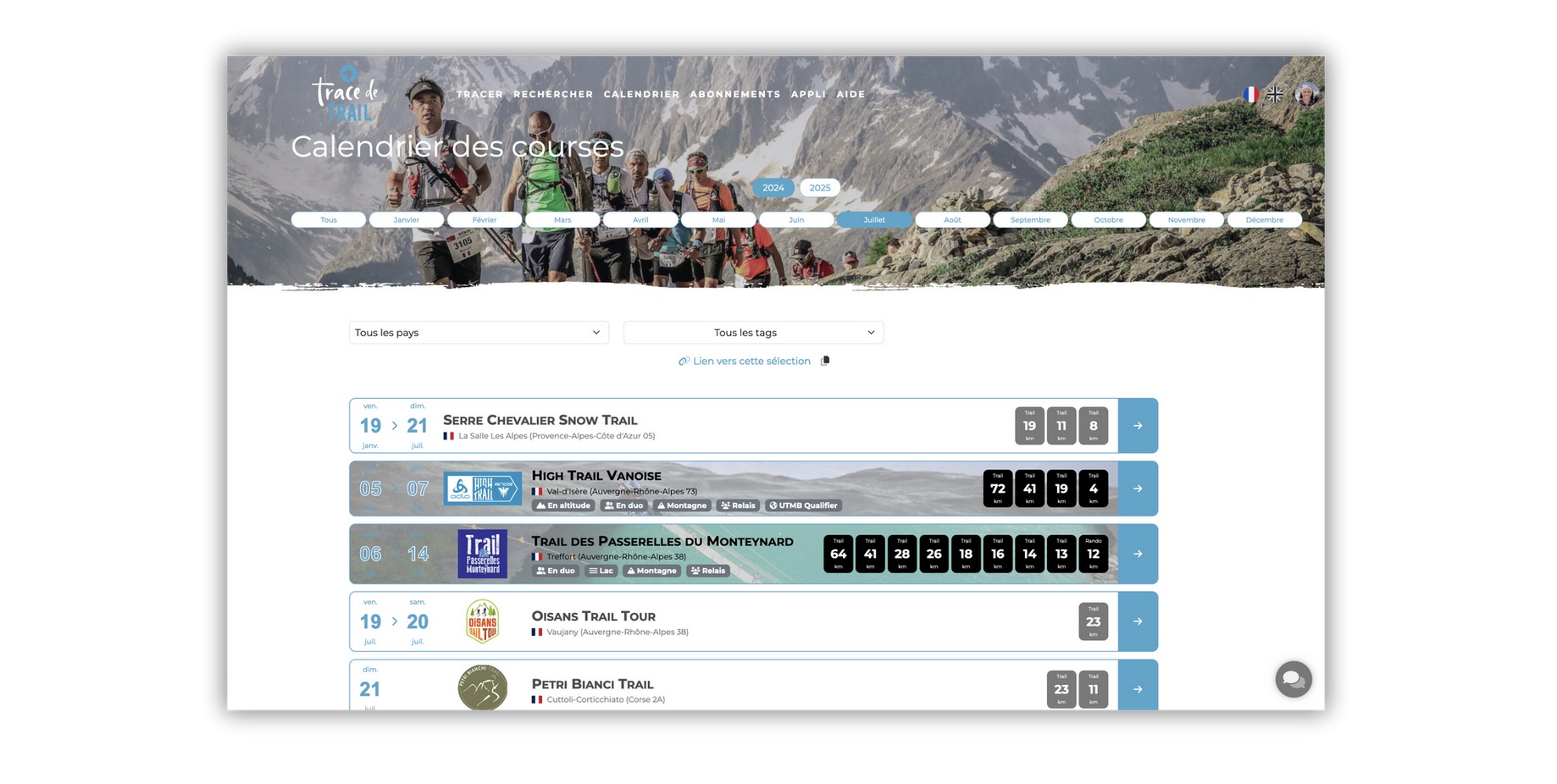
When you create an event on Trace de Trail, your event is referenced in the Trace de Trail competition calendar and the associated courses in the "Official competitions" section of the search module.
You can only create an event if you are part of the organizing team !
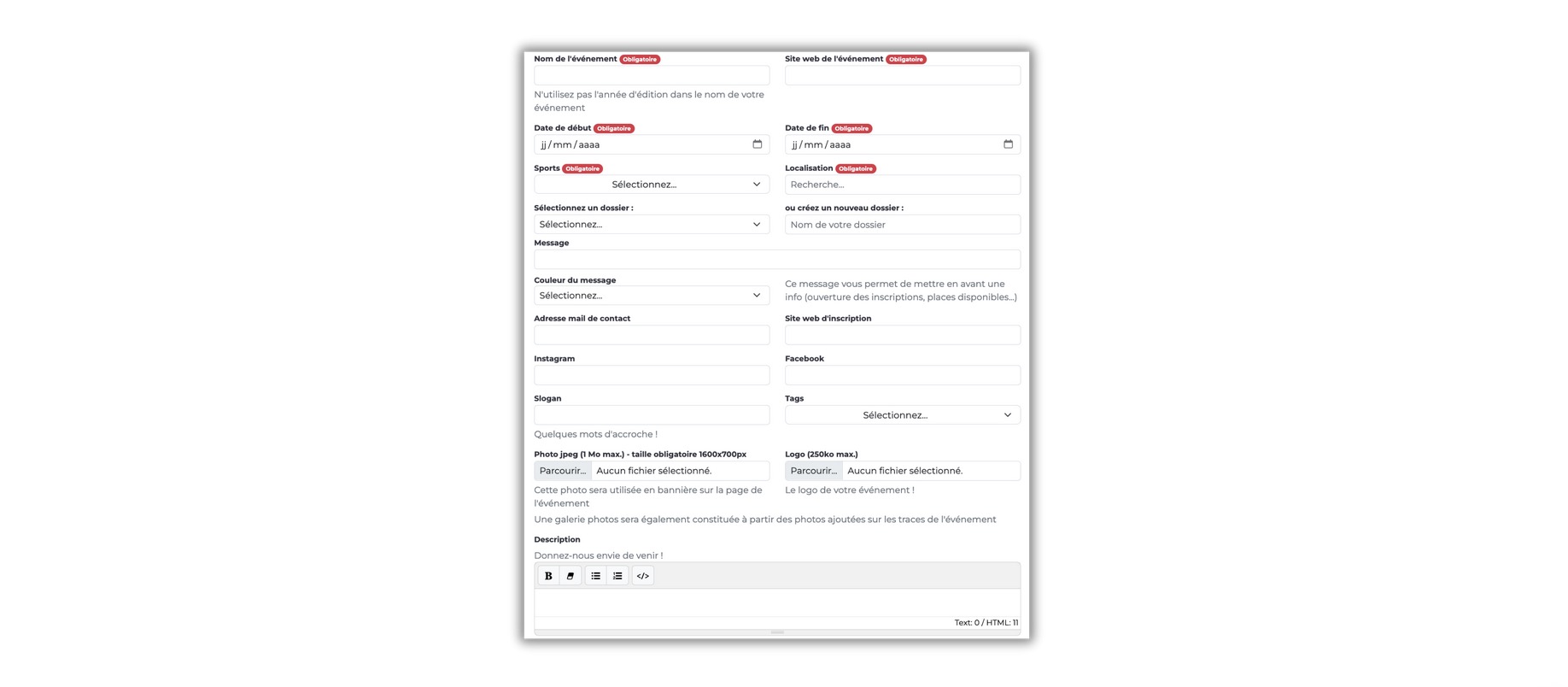
Once the event is created, you can assign it races and it will appear in the Trace de Trail calendar. The event will have its own presentation page: do not hesitate to add content (photo, logo...) to showcase your event with an attractive page.
To create an event, you have two options :
- From your user page, section My events , click on create a new event
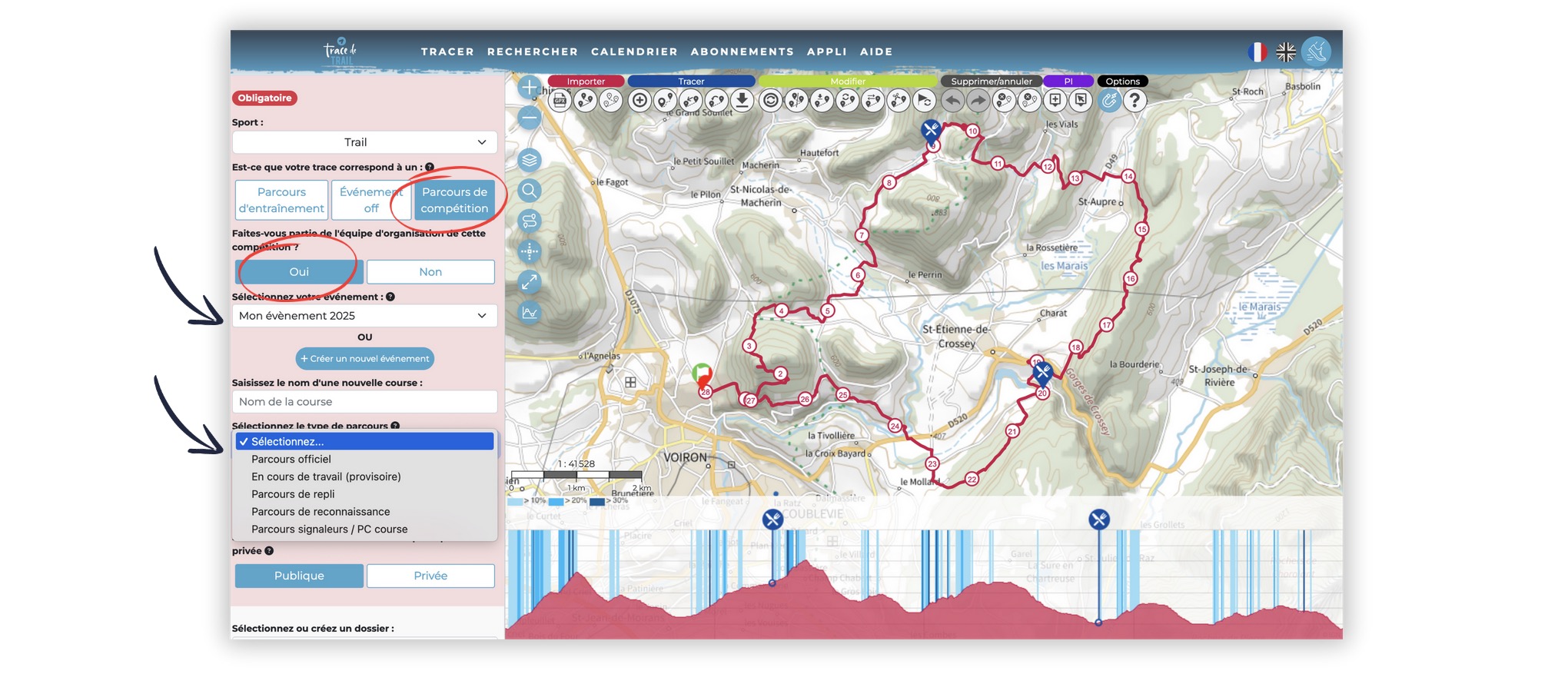
- When creating a track, at the time of registration, step 5, register your route as "competition" and confirm that you are part of the organization.
- Registration opens on... / Race fully booked
- Attention: courses only accessible on race day
- Courses are not yet final and may be modified by the organizers
If you have already created an event and wish to duplicate it for year N+1, simply click on the duplicate button located on your event :

Once you've created your event, you'll need to link your routes to your event. You can do this when you create a route, or when you come back to modify your route (if it has already been created), at stage 5 Description :
Select competition route
Confirm that you are part of the organizing team for this competition/i>
Select your event if you have already created it or create it
You can classify your route in one of 5 categories:
- Official route : route ready to be presented to runners
- Work in progress (temporary) : when your route is not yet finalized
- Fallback route
- Reconnaissance route
- Flagging route / Race HQ : for routes where you place your markers, etc.
The routes you have set as official courses, in public mode, will appear on your event page.
Please note ! If your routes include sections on private property for which you’ve obtained specific permissions, there are several ways to communicate this to participants:
1. On the event: when creating, you can add a message at the top of the event page to raise awareness and specify that the routes are only accessible on the day of the competition.
2. On your route (in edit mode): you can disable GPX file downloads. This way, the route remains public for participants to view, but they won’t be able to download the GPX file. A message will be displayed on the route page: "Warning, this route is only accessible on the day of the race!"
3. On your route (in edit mode): choose to set the route as "private". The event will still appear on the Trace de Trail calendar, but the routes will not be visible. A message will inform users that the routes are not being shared because they include areas that are only accessible on the day of the event.

 Trace de Trail